- Published on
CWL - Lamba Escalation
- Authors

- Name
- mfkrypt
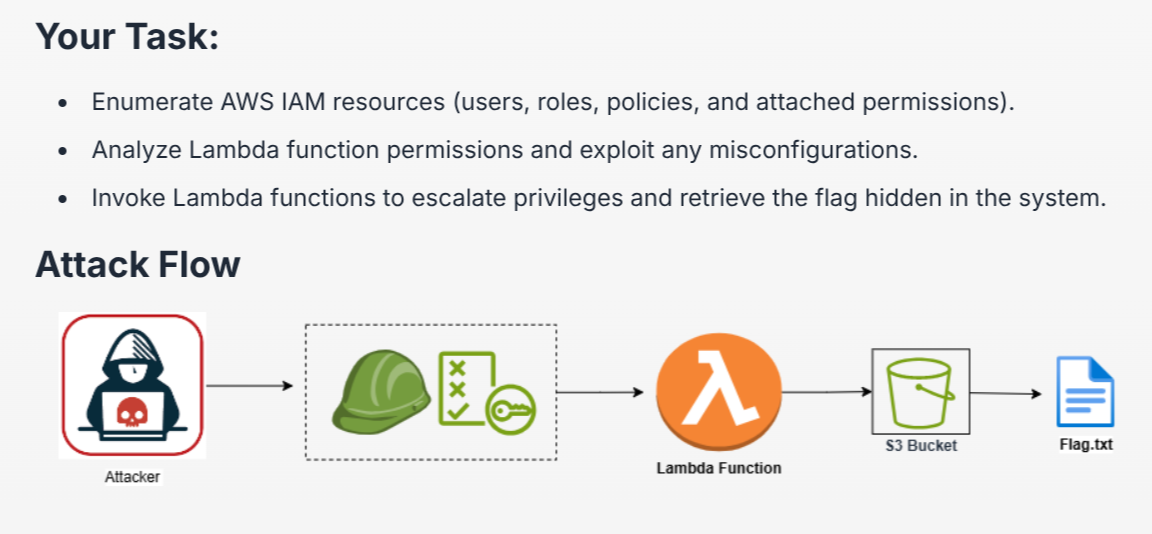
Table of Contents
Starting Point
At the start, we are provided the Access Key ID and Secret Access Key
We will authenticate to the AWS instance using awscli, leave the rest of the fields empty
aws configure
Verify by making an authenticated API call
aws sts get-caller-identity
We confirm that the current IAM user is 'developer1'
Enumerating IAM Permissions
Using this cheatsheet, we discover the user could only list attached user policies
aws iam list-attached-user-policies --user-name developer1
There are 2 available policies, let us look at both of them closely
ListUserPoliciesPolicy
We can list more information about the policy using get-policy with the policy ARN
TIP
Amazon Resource Name (ARN) is a unique identifier used in AWS to identify resources across all AWS services
aws iam get-policy --policy-arn arn:aws:iam::058264439561:policy/ListUserPoliciesPolicy
We can also go more in detail of the policy by using get-policy-version, but we need to supply the version ID which based on the output above, is v1
aws iam get-policy-version --policy-arn arn:aws:iam::058264439561:policy/ListUserPoliciesPolicy --version-id v1
According to the docs, the user is allowed to list all available S3 buckets
aws s3 ls
However attempting to list the contents of any buckets is denied, let us move to the next policy
LambdaInvokePolicy
We can just reiterate the same process we did before with the appropriate policy name
aws iam get-policy --policy-arn arn:aws:iam::058264439561:policy/LambdaInvokePolicy
Same v1 version ID
aws iam get-policy-version --policy-arn arn:aws:iam::058264439561:policy/LambdaInvokePolicy --version-id v1
Given the name of the lab, we can observe that the policy allows us to use "Lambda" to call a function named Bucket-mgmt-Function
TIP
Lambda is a compute service that enables the execution of code without the necessity for server provision or management
We can use this command to call the function using lambda, we also need to supply the correct region which is us-east-1
aws lambda invoke --function-name Bucket-mgmgt-Function --region us-east-1 output.txt`
Status 200 indicates the function is successfully called, check the output file
Cool, there's the flag
Sources
- https://cloud.hacktricks.wiki/en/pentesting-cloud/aws-security/aws-services/aws-iam-enum.html#enumeration
- https://docs.aws.amazon.com/service-authorization/latest/reference/list_amazons3.html
- https://cloud.hacktricks.wiki/en/pentesting-cloud/aws-security/aws-services/aws-lambda-enum.html#aws---lambda-enum